Images

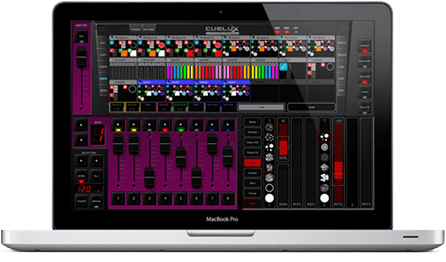
Main screen
Configuration view
Matrix Mania!
Options windows

VisualDMX is a software package for controlling entertainment and architectural lighting. This DMX-512 lighting controller is used in fixed installations in Discotheques, Clubs, Restaurants, Conference halls and other venues requiring live or pre-programmed lighting control.

The functions and friendly user interface makes every lighting operator feel at home behind the VisualDMX lighting controller. Familiar features and industry standard lighting control concepts speed up the learning curve for the live-control of this DMX software and will unleash the creativity in your light-jockey’s performance.

A characteristic of lighting controllers installed in clubs or similar venues is that often there are no trained lighting technicians available. VisualDMX fully supports such situations. The software comes with extensive password protection and simple touch screen interfaces that hide the complexity of a lightshow and offer only the presets to trigger different lighting atmospheres; without any room for error.

VisualDMX is designed to control Moving lights, LED, conventional fixtures and many more. With 1,500+ supported lighting and effects, VisualDMX will control everything from Moving heads to Smoke generators and from LED Tubes to Lasers.


RELIABILITY

Choose for reliability; VisualDMX has been used on the market for over 7 years and has earned its reputation on reliability through its proven technology. The products are backed up by a professional and dedicated technical support team.


FRIENDLY USER INTERFACE

VisualDMX is widely known for its user-interface that excels in user friendliness. Based on the Fixture Independent Architecture, VisualDMX can present all its functions and features in a consistent and intuitive fashion, making this software perfectly suitable for Live control.


TOUCH SCREEN INTERFACE

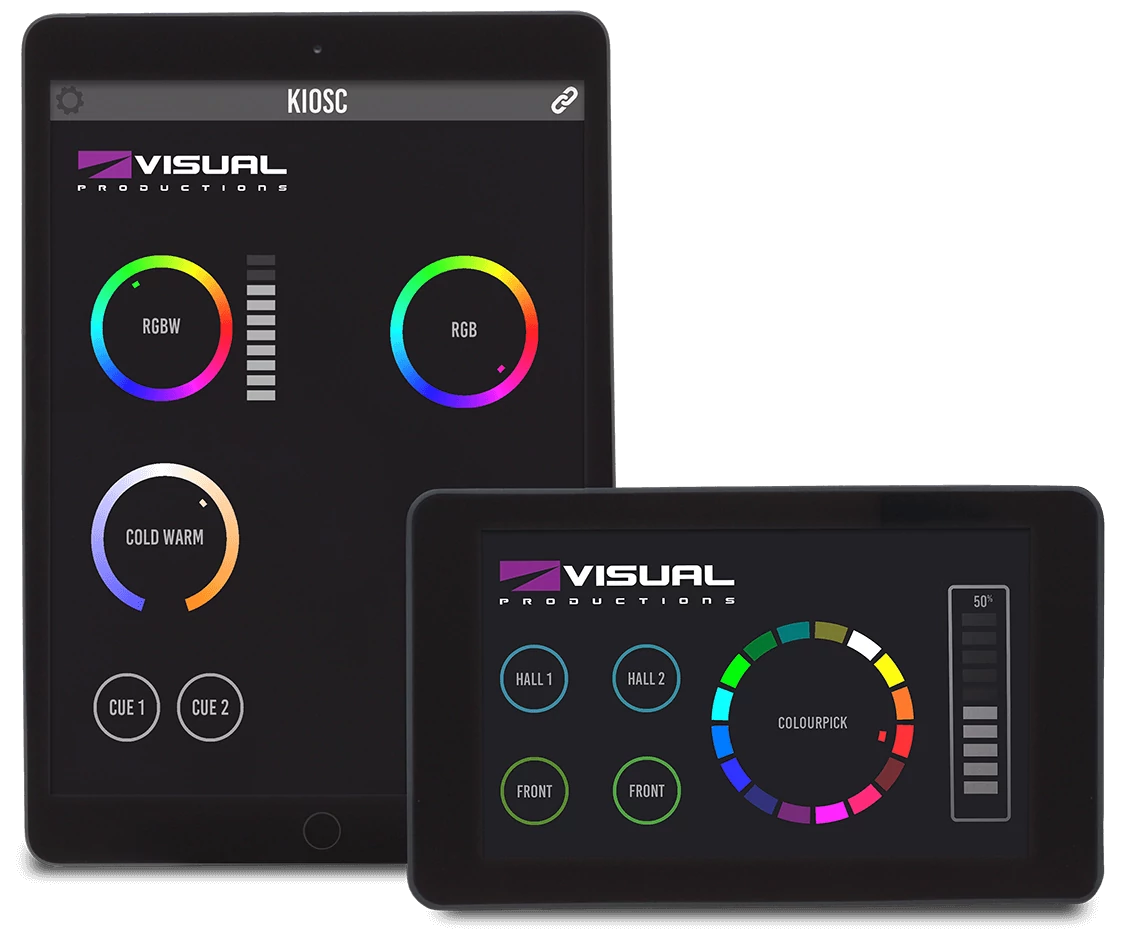
VisualDMX comes with an add-on software tool for creating 100% touch screen optimized user-interfaces. This program, VisualTouch, hides the complexity of a lightshow and offers simple control buttons for triggering different pre-programmed lighting cues; ideal when used in an installation.


MATRIX MANIA!

The control of matrix set-ups for dance floors or LED panels is a specialty of the designers behind VisualDMX. This DMX lighting software is therefore also equipped with an in-built fully-functional matrix controller. Customisable patterns can be applied on the matrix, independent of its size. These patterns include bitmap rendering (for logo projection), animations (standard animated GIF) and text display.

Specifications

  • 4.096 output DMX channels
  • Advanced sequence editor
  • Integrated shape generator
  • DMX input
  • MIDI in & out
  • Audio input
  • Joystick input
  • Art-Net
  • RS-232
  • GPIO
  • Password protection

Minimal Requirements

  • Microsoft Windows Vista, XP or 2000
  • Pentium CPU 1 GHz or equivalent
  • XGA 1024x768
  • 256 MB RAM Memory
  • 40MB Disk Space

Downloads

Compatible Hardware

Frontier

The Frontier is specially designed for fixed installations that require a standalone replay unit for pre-programmed lighting sequences. This allows venues like clubs, pubs and restaurants to operate their lights in an easy and user-friendly way, while preventing anyone from accidentally erasing any of the programmes.

The 19” rack mountable unit offers playback of 16 different sequences, programmable by VisualDMX. Additionally, the Frontier is fitted with a manual speed control dial. The illuminated buttons and its clear layout make the use of the device very ergonomic, particularly important in the expected low-lit environments.

In addition to its standalone capabilities, the Frontier also functions as a direct DMX Output for VisualDMX when used in live situations.

The device has optically isolated 5-pin DMX connector and comes with device drivers for Microsoft Windows Vista, XP and 2000.

Specifications

  • 16 memories
  • 512 DMX channels
  • 5-pin XLR DMX connector
  • ESD protected DMX output
  • Dimensions 482 x 152 x 44 mm (19 x 6 x 1.7 inches)
  • Weights 1,8 kg (4 lbs)
  • Shipped with USB power supply

Minimal Requirements

  • 32-bit Microsoft Windows 7, Vista, XP or 2000
  • A free USB 1.1 or 2.0 port

Downloads

Elite

The Elite device is designed to equip the standard computers with a DMX port to drive the lighting equipment. Utilising the USB connection of the computer it is even possible to expand the capacity of VisualDMX by connecting multiple Elites to your computer.

In addition, the development of the Elite hardware interface enables users to store up to 8 dynamic sequences or lightshows. All features of the VisualDMX software can be used in programming including all the fantastic features of Matrix Mania! The stored sequences or lightshows are then recalled by manual selection of the push buttons. The box will continue in the same sequence where it was playing at the point that power was removed.

The Elite box allows you to use the VisualDMX software in a wider range of applications than ever before, from Tradeshow booths to Architectural applications. The fluidity of each programmed sequence is exceptional and allows for subtle movements and colour changes. A compression technique is applied on the storage of the sequences enabling long sequences to run smoothly and still fit in this small yet powerful hardware interface.

Specifications

  • 8 memories
  • 512 DMX channels
  • 5-pin XLR DMX connector
  • ESD protected DMX output
  • Dimensions 100 x 86 x 37 mm (3.9 x 3.4 x 1.5 inches)
  • Weights 300 gram (0.7 lbs)
  • Shipped with USB power supply

Minimal Requirements

  • 32-bit Microsoft Windows 7, Vista, XP or 2000
  • A free USB 1.1 or 2.0 port

Downloads

February 04, 2008

Duple

The Duple is the basic hardware interface that enables VisualDMX and Canvix control software to send and receive DMX signal used in professional lighting.

The USB connected Duple has both a DMX-512 output port and an input port. The DMX output transmits 512 channels of DMX, effectively turning your personal computer into a full-size lighting controller when running the VisualDMX or Canvix software.

Both DMX ports are ESD protected and fully compliant to the new DMX standard. The optically isolated DMX input port receives 512 channels of DMX. When connected to a third party DMX console, each channel can be used to control any function in the lighting control software. Multiple Duples can be connected to your computer to create a large multi-universe system.

Specifications

  • 512 DMX channels out
  • 512 DMX channels in
  • 5-pin XLR DMX connector
  • ESD protected DMX output
  • ESD protected and optically isolated DMX input
  • Dimensions 100 x 86 x 37 mm (3.9 x 3.4 x 1.5 inches)
  • Weights 300 gram (0.7 lbs)

Minimal Requirements

  • 32-bit Microsoft Windows 7, Vista, XP or 2000
  • A free USB 1.1 or 2.0 port

Downloads

November 24, 2008

GPI

Visual Productions’ GPI (General Purpose Input) interface allows external signals to be connected to VisualDMX and Canvix. Our lighting control programs are then able to be triggered by these signals to create a fully automated lighting control system.

The GPI is intended for fixed installations where our lighting control software can be interconnected to other equipment, mechanical switches or sensors. The GPI is designed with installers and system integrators in mind; it features a DIN-Rail enclosure that allows easy mounting of the unit. All connections have detachable screw-connectors for a quick replacement of the unit.

The GPI features 8 contact-closure input ports and is USB powered. The function of the input ports can be freely programmed within VisualDMX and Canvix, allowing you to trigger any software function.

Specifications

  • 8 Inputs
  • Dimensions 105 x 86 x 60 mm (4.1 x 3.4 x 2.4 inches)
  • Weights 120 gram (0.26 lbs)

Minimal Requirements

  • 32-bit Microsoft Windows 7, Vista, XP or 2000
  • A free USB 1.1 or 2.0 port

Downloads

June 30, 2008

GPO

The GPO (General Purpose Output) device enables the VisualDMX and Canvix lighting control programs to be interfaced with external equipment. This technology will allow you to complement your VisualDMX or Canvix system with more equipment even when these do not feature a protocols like DMX.

The GPO is intended for fixed installations where the need for interfacing our lighting control software with other equipment regularly arises. The GPO is designed with installers and system integrators in mind; it features a DIN-Rail enclosure that allows easy mounting of the unit. All connections have detachable screw-connectors for a quick replacement of the unit.

The GPO features 8 contact-closure output ports and is USB connected. The function of the output ports can be freely programmed within VisualDMX and Canvix, allowing it to be triggered from software function.

Specifications

  • 8 Outputs
  • Dimensions 105 x 86 x 60 mm (4.1 x 3.4 x 2.4 inches)
  • Weights 120 gram (0.26 lbs)

Minimal Requirements

  • 32-bit Microsoft Windows 7, Vista, XP or 2000
  • A free USB 1.1 or 2.0 port

Downloads

June 30, 2008

Art-Net Dongle

The Visual Productions Art-Net Dongle enables the Art-Net output in Canvix and VisualDMX. The Dongle is available in various sizes, e.g. 2, 4, 8 and 12 universes, and allows for future capacity upgrades. The Art-Net Dongle can be used in combination with the Duple USB devices.

The Art-Net protocol is very well suited for configurations with many universes and thousands of DMX channels. It saves you from having to attach a large number of USB connected DMX Outputs to your computer. With a large number of universes, the Art-Net communication uses noticeably less computer resources then USB communication.

Art-Net is the current industry standard for sending DMX information over Ethernet. By utilizing Art-Net various third-party Art-Net equipment like DMX-converters and switches will be at your disposal.

Specifications

  • Dimensions 53 x 16 x 7 mm (0.2 x 0.06 x 0.03 inches)

Minimal Requirements

  • A free USB 1.1 or 2.0 port

Downloads